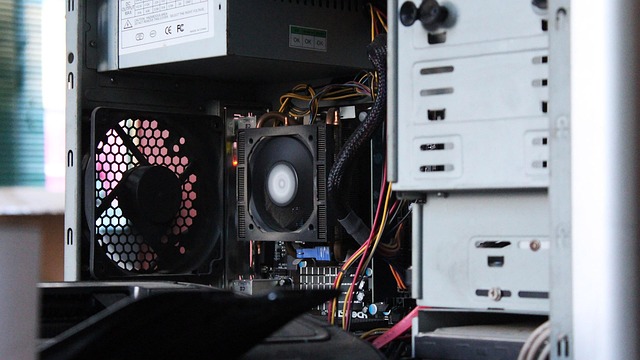
Hardware Warranty Basics Protecting Your Devices

When you buy a new computer, phone, or server, the promise that comes with it is often more than just a sticker on the box. A hardware warranty is a contractual assurance that the manufacturer will repair or replace parts that fail within a specified period. For IT professionals and everyday users alike, understanding the nuances of a hardware warranty is essential to protect investment, avoid costly downtime, and maintain system reliability.
What Is a Hardware Warranty?
A hardware warranty is a legal agreement that guarantees the functionality of a device for a certain time frame after purchase. It defines what components are covered, under what conditions repairs will be performed, and whether you must pay for shipping or service fees. Typically, a warranty covers manufacturing defects rather than accidental damage, although extended plans may offer broader protection.
Key Elements of Most Warranties
Most warranties share a common structure:
- Duration: The length of coverage, usually one to three years.
- Scope: Which parts and failure modes are included.
- Claims Process: How to file a claim and what documentation is required.
- Exclusions: Conditions that void coverage, such as water damage or unauthorized repairs.
Duration Matters: Short vs. Long-Term Coverage
Shorter warranties are common for consumer electronics, while enterprise hardware often comes with multi-year guarantees. A longer warranty can reduce total cost of ownership by shifting repair expenses to the manufacturer. However, some vendors offer “as‑sold” warranties that are strictly limited to manufacturing defects, while others provide “extended” plans that cover accidental damage and environmental factors.
How to Read a Warranty Statement
Warranty documents are often dense. Here’s a quick guide to deciphering them:
- Locate the “Warranty” section: It’s usually near the back of the user manual.
- Identify the covered items: Look for lists of parts like hard drives, processors, or power supplies.
- Check the conditions: Note any language about proper usage, environment, and maintenance.
- Verify the contact process: Ensure you know whether you need to ship the unit or bring it to an authorized service center.
Common Language You’ll Encounter
Manufacturers use specific terms that signal coverage:
“This product is covered for defects in materials and workmanship for a period of two years from the date of purchase.” This sentence indicates a standard warranty, excluding accidental damage or misuse.
Pay attention to phrases like “subject to the terms and conditions” or “provided that the user has not altered the device” to spot limitations.
Typical Exclusions from a Hardware Warranty
Exclusions are as important as inclusions. The most frequent reasons for denial include:
- Physical damage from drops or spills.
- Alterations or custom modifications that compromise the original design.
- Use in environments outside specified temperature or humidity ranges.
- Unauthorized repairs or use of third‑party parts.
Understanding these boundaries helps you avoid inadvertently voiding the warranty.
Accidental Damage Coverage
Some vendors include accidental damage as part of the base warranty, while others require separate protection plans. If your device is prone to spills or drops—common in server racks or mobile workstations—consider purchasing a supplemental plan that covers physical mishaps.
Claiming Your Warranty: A Step-by-Step Guide
When a defect arises, follow these steps to maximize your chances of a smooth repair:
- Document the issue: Record error messages, performance metrics, and any visible signs of failure.
- Backup data: If possible, create a snapshot or backup to prevent data loss during repair.
- Contact the vendor: Use the official support channel—often a ticketing system—to report the problem.
- Ship or drop off: Follow the instructions for shipping the unit or dropping it at an authorized service center.
- Track the repair: Keep a record of ticket numbers and communication logs.
Maintaining clear documentation streamlines the process and protects against disputes.
Time is of the Essence
Most warranties require claims to be filed within a certain window—commonly 30 days from the date of the first symptoms. Delaying a claim can result in loss of coverage. IT managers should incorporate a reminder system so that service requests are made promptly, especially when hardware is critical to business operations.
Extending Your Warranty
Many manufacturers offer optional extensions that add several years to the original coverage. These can be valuable for high‑value equipment that will remain in service longer than the default period. When evaluating an extension, compare the cost against the expected lifetime of the hardware and the likelihood of failure.
Third‑Party Protection Plans
Retailers and service providers sometimes offer their own protection plans. These may include accidental damage, theft, or extended support. Always read the fine print: some plans exclude certain parts, require pre‑authorized service, or limit the number of repair attempts. Compare the terms against the manufacturer’s warranty to avoid overlapping coverage or gaps.
Impact on IT Operations
For businesses, a robust hardware warranty strategy can reduce unexpected downtime. By knowing which components are covered and how to expedite repairs, IT teams can plan for rapid replacement and maintain service level agreements. Furthermore, warranty data can inform asset lifecycle management, helping to schedule maintenance before the warranty expires.
Integrating Warranty Information into Asset Management
Modern IT service desks should store warranty details in a central database. Each asset record should include:
- Purchase date and vendor.
- Warranty start and end dates.
- Scope of coverage.
- Contact information for support.
When a warranty expires, automated alerts can trigger renewal discussions or hardware replacement planning.
Conclusion: The Value of a Well‑Understood Hardware Warranty
A hardware warranty is more than a marketing promise—it’s a contractual safety net that protects both the consumer and the business. By carefully reading the terms, recognizing exclusions, and knowing how to file a claim, you can ensure that your devices remain reliable and your organization avoids costly surprises. Remember, the true benefit comes from a proactive approach: monitor coverage periods, document issues early, and treat warranty management as a core part of IT governance.